Air Pro™
Charging Stand | Support Guide
The Basics: What You Need to Know
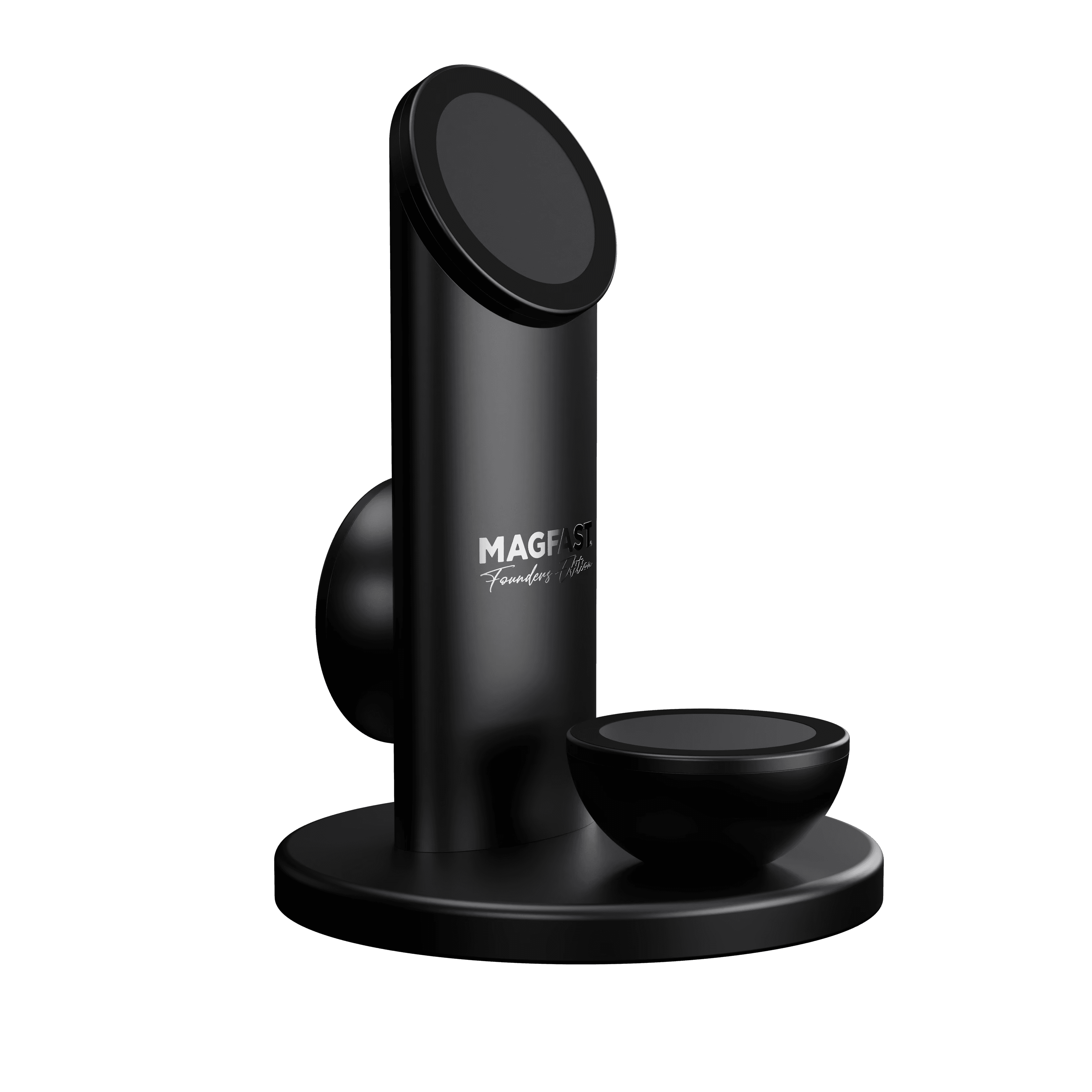
Air Pro isn't just a charger - it's a premium device engineered to last decades:
Solid aircraft-grade aluminum
Three full-power Wireless Magnetic Charging (WMC) pads
140W wired charging port
2.2lb ~ a full kilogram of mass for stability
Lifetime warranty
Plus Air Pro looks absolutely stunning on your desk. It's the kind of thing people notice and ask 'where did you get that?'.
Premium charging meets design art!
The 2-Minute Setup
Step 1: Activate Your Air Pro ⚡
Before anything else, scan the Fingerprint™ QR code on the charger or visit https://www.magfast.com/FP/
This activates the lifetime warranty and enrolls you in Lost & Found service!
Step 2: Power It Up Right
Connect a 65W minimum (140W Lux Pro is ideal) USB-C PD power adapter to the Air Pro
💡 This is important! Lower wattage = slower charging or WMC pads won't work properly
Step 3: Place Your Devices
Just set phones/earbuds on any of the three wireless magnetic charging pads - they'll snap right into place! All three pads deliver 15W of fast wireless charging
Step 4: Use the USB-C Port
There's a 140W USB-C port on the back for wired fast charging (laptop, tablet, whatever!)

The Three Wireless Magnetic Charging Pads (Quick Reference)
Front Angled Pad 📱
What: Slanted wireless charging pad (main position)
Power: 15W Qi2 wireless charging
Best for: Your primary phone - perfect angle for video calls, notifications, Face ID
Magnetic: Yes! Phone snaps into perfect position
Tip: This is the "star" position - most customers use this daily
Front Flat Surface 📱
What: Horizontal charging pad in front
Power: 15W Qi2 wireless charging
Best for: Second phone, earbuds, or stacking powerbanks (coming soon? 😀)
Magnetic: Yes! Multiple devices can charge here
Tip: Great for overnight charging of earbuds or a backup phone
Rear Vertical Pad 🎧
What: Subtle back pad (vertical orientation)
Power: 15W Qi2 wireless charging
Best for: AirPods Pro 2 (or any wireless magnetic charging compatible earbuds), small devices, future MAGFAST products
Magnetic: Yes! Designed for smaller accessories
Tip: Easy to miss but super useful for earbuds!
USB-C Port 🔌
What: 140W wired charging port
Power: Up to 140W via USB-C cable
Best for: Laptop, tablet, or any device needing fast wired charging
Tip: This is WIRED charging, not wireless
Power Requirements (CRITICAL!)
The Golden Rule
Air Pro needs SERIOUS power to work its magic!
✅ Minimum: 65W USB-C PD adapter
✅ Best Experience: 140W USB-C PD adapter (like Powerbrick Pro 140 plus Lux Pro 😉)
Why This Matters
With 140W: All three WMC pads + USB-C port at full power simultaneously
With 65W: Works great for 1-2 devices, but may limit multi-device charging
Under 65W: Will NOT work properly - pads won't charge or will be very slow
Top 5 Customer Issues (& Quick Fixes!)
1. Nothing's Charging / It's Not Working
Common cause: Adapter is too weak
Fix:
Please use 65W minimum USB-C PD adapter
Check adapter is actually plugged into wall AND Air Pro
Try different wall outlet
2. My Phone Won't Stick / Keeps Falling Off
Quick fixes:
Check for case: Thick cases (>3mm) or non-magnetic cases can block magnets
Check phone compatibility: Phone must support wireless charging Qi2 (iPhone 12 or newer, or Android with Qi2 compatible case)
Clean the pad: Dust or debris weakens magnetic hold
Try different pad
3. Can't Charge Multiple Devices
Checklist:
✅ Power adapter is 65W or higher?
✅ All devices are MagSafe/Qi2/Wireless magnetic charging compatible?
✅ Devices properly aligned on pads?
✅ Try charging one device on each pad individually first
Common cause: Underpowered adapter (splits power, so only one pad gets enough)
Fix: Upgrade to 100W-140W adapter for full multi-device charging
4. Charging is Really Slow
Remove thick case
Use higher-wattage adapter
Charge fewer devices simultaneously
Let phone cool down if it's been in sun/hot car
5. The USB-C Port Doesn't Work
Check:
Is a cable plugged in?
Is power connected to Air Pro itself?
Try different USB-C cable (cable might be faulty)
Try charging different device
The USB-C port is for WIRED charging - it's a bonus pass-through port!
FAQ
Q: What phones work with Air Pro?
A: Any phone with MagSafe or Qi2 wireless magnetic charging:
iPhone 12, 13, 14, 15, 16 (all models)
Android phones with Qi2 and a magnetic case or adapter
Q: What about AirPods?
A: Works great! AirPods Pro (1st & 2nd gen) and AirPods 3 with wireless charging case. Place on top flat surface or rear vertical pad.
Q: Can I charge iPad wirelessly?
A: No - iPads don't support wireless charging. BUT you can charge iPad via the USB-C wired port!
Q: Do I need a special case?
A: For iPhones 12+: No, MagSafe is built in (but case must be MagSafe-compatible if you use one)
For Android: Yes, you'll need a compatible magnetic case or magnetic ring adapter
Q: How fast is 15W wireless charging?
A: It's about 50-60% as fast as wired charging. iPhone 0-50% in ~30-40 minutes.
Q: Can I use all three pads + USB-C port at once?
A: Yes! But you'll need a 140W power adapter for optimal performance with all four charging spots active.
Q: What's Qi2?
A: Qi2 is the new wireless magnetic charging standard (2023+) - basically "universal MagSafe." It's faster, more efficient, and better aligned than old Qi charging.
Q: Does it work with PopSockets or phone rings?
A: Not if they're on the back center where MagSafe connects. Remove them or use a MagSafe-compatible PopSocket.
Q: Why is it so heavy (2.2 pounds)?
A: That's actually a FEATURE! The weight keeps Air Pro stable - you can grab your phone without the whole charger coming with it. It's solid aircraft-grade aluminum!
Device Compatibility Quick Reference
✅ Works Perfectly With:
iPhone 12, 13, 14, 15, 16 (all models: regular, Plus, Pro, Pro Max, mini)
AirPods Pro (1st & 2nd gen)
AirPods 3 (with wireless charging case)
AirPods 2 (with wireless charging case)
Samsung phones with Qi2/magnetic case
Google Pixel phones with Qi2/magnetic case
Any Qi2-enabled device
⚠️ Needs MagSafe/ magnetic Case/Adapter:
Android phones (most don't have built-in magnets)
iPhone 8, X, XS, XR, 11 series (have Qi wireless charging but no ring of MagSafe magnets)
Older devices with only Qi charging
❌ Won't Work Wirelessly:
iPads (no wireless charging - use USB-C port instead!)
Laptops (use USB-C port for wired charging)
All phones, indeed all devices that never included wireless charging
Power Adapter Recommendations
MAGFAST Powerbrick Pro 140 - Best experience, matches aesthetics, powers everything perfectly!
What to Avoid:
❌ Phone chargers (usually only 20-30W)
❌ Old laptop chargers (might not be USB-C PD)
❌ Non-PD USB-C chargers (won't deliver power correctly)
❌ Anything under 65W
Quick Comparison: Air Pro vs. Competitors
Feature | Air Pro | Typical Charger |
Wireless pads | 3 @ 15W each | 1 @ 10-15W |
Wired charging | Yes, 140W USB-C | Rarely included |
Build material | Machined aluminum | Plastic |
Weight | 2.2 lbs (stable!) | 4-8 oz (slides around) |
Magnets | Qi2 | Hit or miss |
Warranty | Lifetime* | 1 year typical |
Design | Sculpture-grade | Generic |
Contact us!
If something isn’t working as expected, just tell us:
what device you’re connecting
which port you’re using
and what your laptop model is
We’ve got you 🙂
MAGFAST Support
Hello@MAGFAST.com