Products & Care
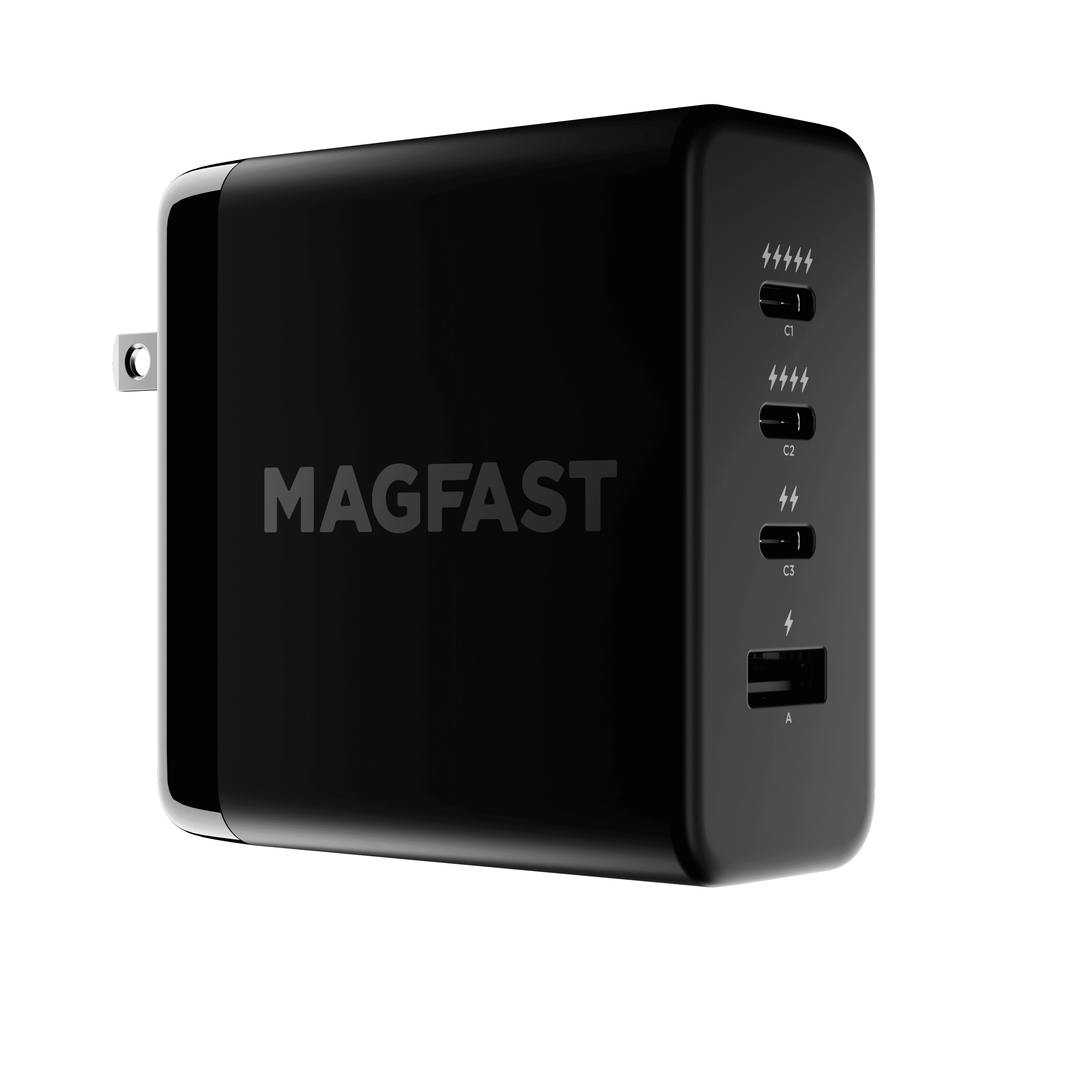
Powerbrick™ Pro 140
Wall Charger — Setup & Support Guide
The Basics: What You Need to Know
The MAGFAST® Powerbrick Pro 140 is a powerful wall charger built to charge several devices at once. It plugs into the wall and delivers up to 140W of total power, shared intelligently across four ports.
We've made the four ports beautifully simple to read — each one is marked with lightning bolts that show, at a glance, how much power it can give:
Top USB-C port (⚡⚡⚡⚡⚡) — C1, up to 140W, the highest-priority port
Second USB-C port (⚡⚡⚡⚡) — C2, up to 140W
Third USB-C port (⚡⚡) — C3, up to 65W
Bottom USB-A port (⚡) — A1, up to 22.5W
No spec sheet to memorize. Just look at the bolts — more bolts means more power.
Understanding the Lightning Bolt System
The lightning bolts tell you everything you need to know about each port's power, instantly:
⚡⚡⚡⚡⚡ (five bolts) — your highest-priority port, always the best choice for your most important device
⚡⚡⚡⚡ (four bolts) — nearly as powerful, perfect for a second laptop or another high-power device
⚡⚡ (two bolts) — great for tablets, smaller laptops, and mid-power devices
⚡ (one bolt) — ideal for phones, earbuds, and other accessories
Which Port for What
Laptops and power-hungry devices → the five-bolt (⚡⚡⚡⚡⚡) top port, for your most important device.
A second laptop or high-power device → the four-bolt (⚡⚡⚡⚡) second port.
Tablets and mid-power devices → the two-bolt (⚡⚡) third port.
Phones and accessories → the one-bolt (⚡) USB-A port.
Rule of thumb: follow the lightning bolts. Start your most important device at the top, and work your way down.
How Power Sharing Works
The Powerbrick Pro 140 is smart. It adjusts power automatically based on which ports you're using and what's connected. A few common scenarios:
Using one port
The five-bolt or four-bolt ports (C1 or C2) can each deliver the full 140W when used on their own.
The two-bolt port (C3) delivers up to 65W on its own.
The one-bolt USB-A port (A1) delivers up to 22.5W.
Using two ports
The Powerbrick keeps power flowing to your important devices while staying within its 140W total.
For example, run the five-bolt and four-bolt ports together and each still delivers up to 65W — plenty for most laptops.
The five-bolt port keeps priority, so it generally holds more power than the others when ports share.
Using three or more ports
Power is balanced across everything that's connected, always favoring the ports with more bolts.
Even with all four ports busy, you'll still get solid charging from each one.
The key thing: total power is always 140W or less, shared across the ports you're using — so the more devices you add, the more each one shares.
Heat Management
On hot days, or during long stretches of heavy use, the Powerbrick has built-in temperature protection. If it reaches around 95°C, it briefly eases off its output to protect your devices and itself, then recovers. This is completely normal and helps ensure years of reliable service.
When it's managing heat, the five-bolt port keeps priority — another reason to plug your most important device into the top port.
Compatible With Your Devices
The Powerbrick Pro 140 works with virtually all USB devices, including:
Apple and Android smartphones
Laptops that charge over USB-C
Tablets (Apple, Samsung, and more)
Earbuds and headphones
Portable game consoles
And many more
It supports a wide range of fast-charging protocols, including PD3.1, PPS, QC3.0, PD2.0, AFC, FCP, Apple 2.4A, and Samsung 2.0A.
Your Fingerprint® Code
Every MAGFAST product has its own unique identity. On your Powerbrick Pro 140, you'll find a laser-engraved Fingerprint code — a QR code in the shape of a fingerprint, with a web address in the format MAGFAST.com/FP/XXXX-XXXX. Scan it (or visit MAGFAST.com/FP) to register your Powerbrick, confirm it's genuine, activate your warranty, and enroll in Lost & Found.
Troubleshooting & Quick Fixes
1. Nothing's Charging
Confirm the Powerbrick is firmly plugged into a live wall outlet, and try a different outlet.
Make sure your charging cable is fully seated at both ends.
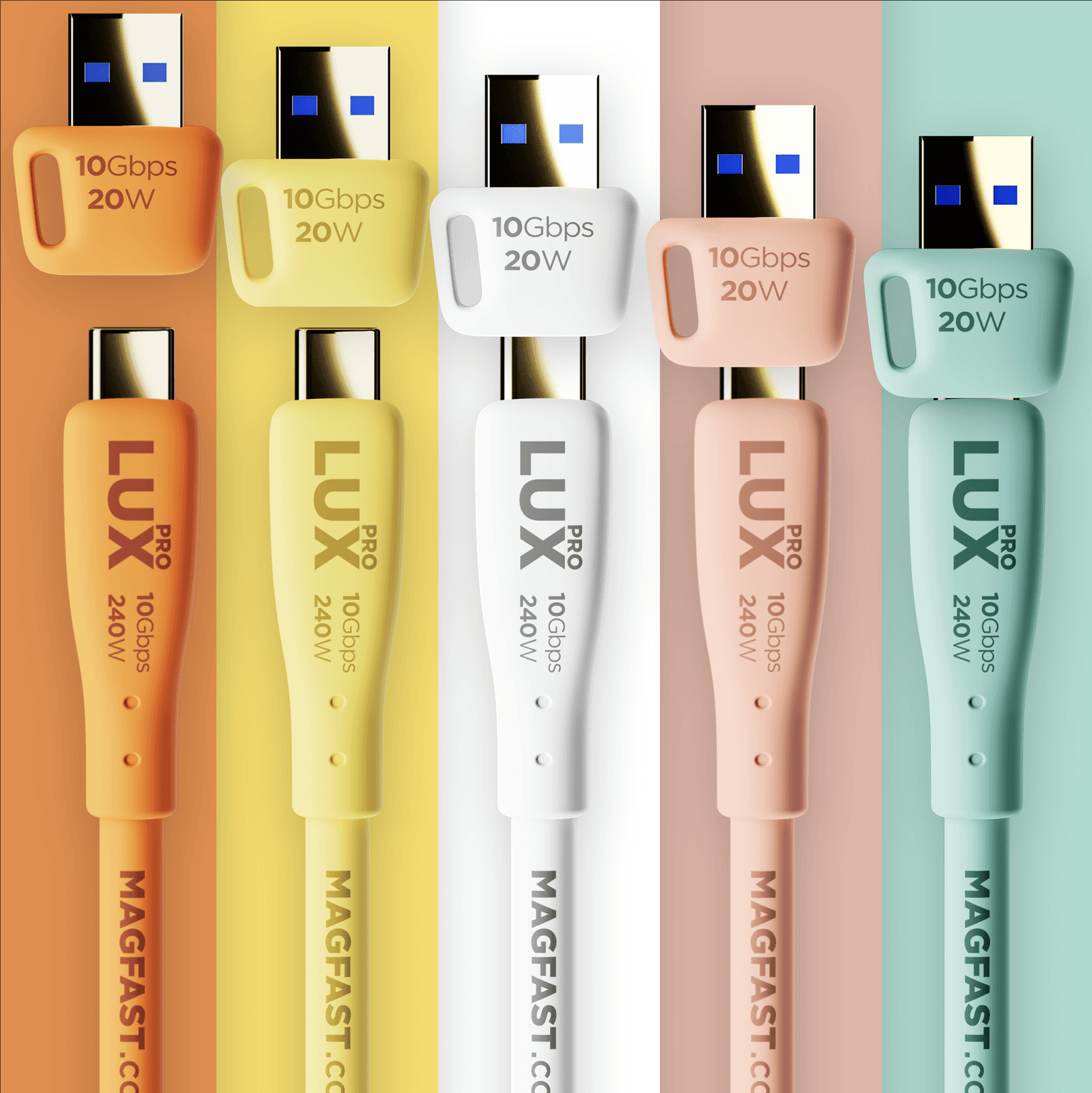
Try a different USB-C cable — a high-power cable like Lux Pro is ideal for fast charging.
2. My Laptop Charges Slowly When Other Devices Are Plugged In
That's the 140W total being shared. Move your laptop to the five-bolt (⚡⚡⚡⚡⚡) top port so it gets priority.
Unplug lighter devices while you need maximum speed, or give the laptop a port to itself.
3. A Device Isn't Fast-Charging
Plug into a higher-bolt port — the five-bolt and four-bolt ports deliver the most.
Use a cable rated for the power you need (Lux Pro carries up to 240W).
Check that your device supports fast charging over USB-C.
4. A Port Doesn't Seem to Work
Try the same device and cable in a different port to isolate the issue.
Swap to a known-good cable.
Make sure the device itself charges over USB-C (or USB-A for the one-bolt port).
5. It Feels Warm
Some warmth during heavy charging is normal.
Give it a little airflow on a flat surface, and it will manage its own temperature.
FAQ
Q: Can the Powerbrick Pro 140 power my Air Pro? A: Yes — it's the ideal power source for Air Pro. Connect them with a high-power USB-C cable like Lux Pro.
Q: Is this a portable power bank? A: No. The Powerbrick Pro 140 is a wall charger — it stays plugged into the wall and powers your devices from there. For power on the go, look at MAGFAST Passport.
Q: Can it run all four ports at full power at once? A: No — total output is always 140W or less, shared across the ports in use. One device on the five-bolt port can take the full 140W; add more, and the power shares out.
Q: What cable should I use for the fastest charge? A: A high-power USB-C cable. Lux Pro carries up to 240W and is a perfect match.
Q: Which port should I use for my most important device? A: The five-bolt (⚡⚡⚡⚡⚡) top port. It's the highest-priority port and keeps the most power, even when things heat up.
Remember
The Powerbrick Pro 140 is powerful, but it shares a 140W total across the ports you're using — it can't push maximum power to every port at once.
For the best experience, just follow the lightning bolts:
More ⚡ = more power.
Five bolts is always your best choice for your most important device.
Work your way down from there, based on what each device needs.
The lightning bolts make it simple to get the most from your Powerbrick Pro 140 — no technical know-how required.
Contact us!
If something isn't working as expected, just tell us which device you're charging, which port you're using, and the cable you've got — and we'll take it from there.
We've got you 🙂
MAGFAST Support Hello@MAGFAST.com
Did this answer your question?